Visual Interface: Account
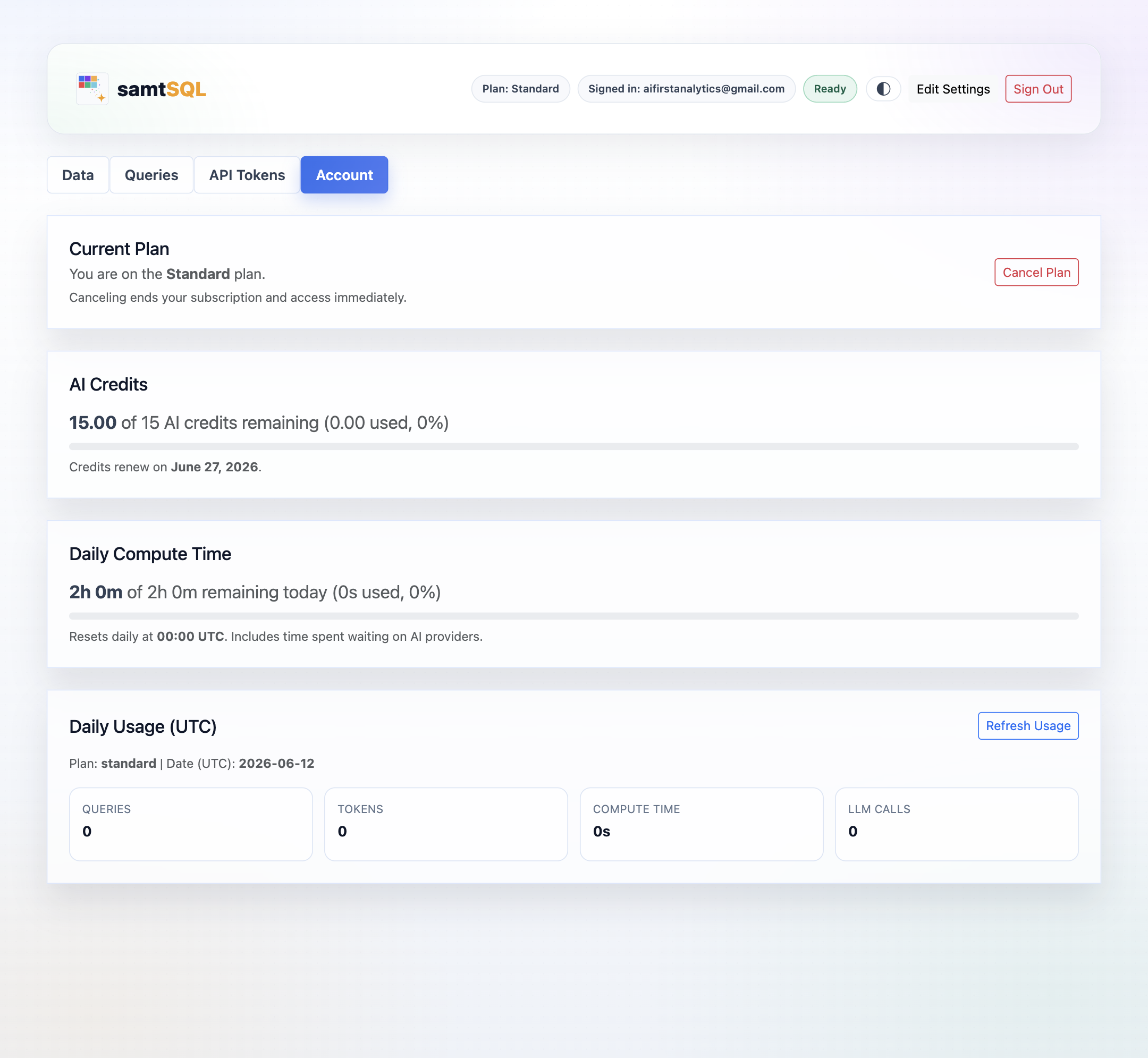
Click on the Account tab to access usage statistics and to make changes to your subscription plan.
Subscription Management
SamtSQL shows the current plan at the top of the page. To cancel your subscription, click on the Cancel Plan button.
Usage Statistics
The Account tab provides a detailed overview of your samtSQL usage. In particular, it shows usage statistics that are capped by your subscription:
- AI credits consumed over the course of the current month.
- Computation time consumed over the course of the day.
For both metrics, samtSQL shows the absolute consumption (measured in AI credits or minutes), as well as a percentage. The percentage indicates the consumed ratio of the subscription-specific budget. In addition, samtSQL displays the date or time at which the budget renews.
For daily consumption, samtSQL shows additional counters. Specifically, it shows the number of queries issued, the number of tokens used, the total computation time, and the number of LLM calls.
SamtSQL automatically refreshes usage statistics. To force an immediate refresh, click on the Refresh Usage button.