Visual Interface: Analytics
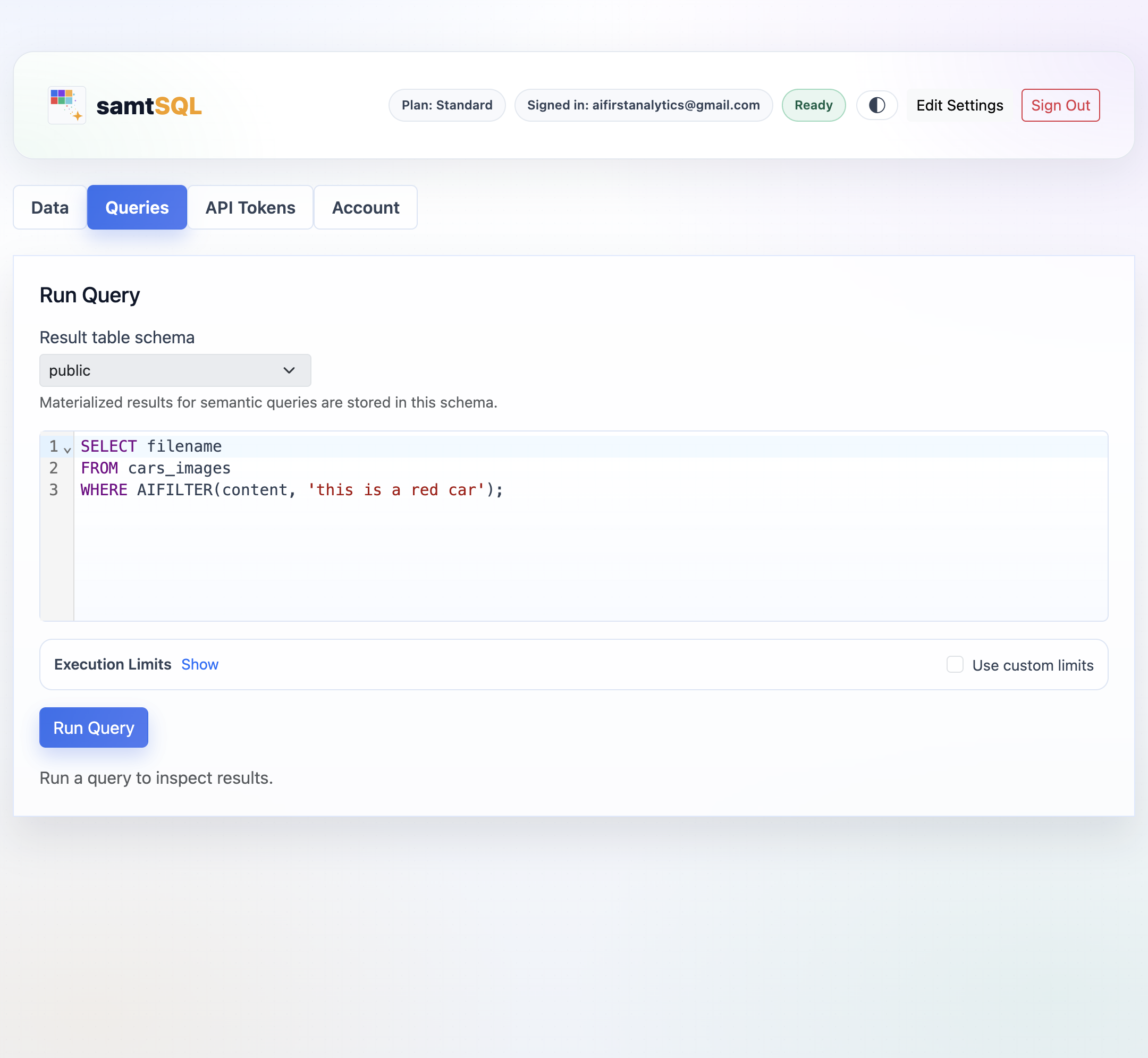
The Queries tab is used for ad-hoc analytics. SamtSQL supports SQL queries with AI operators on multimodal columns. The query interface only supports analytical queries (e.g., no transactions, update statements, or deletion commands). To execute non-analytical queries, use the native interface of your cloud database instance.
AI analytics
To run a query, enter it into the query editor and click the Run Query button. SamtSQL allows you formulating queries consistent with the PostgreSQL dialect supported by your cloud database. In addition to standard SQL features, samtSQL enables you to use five AI operators in queries. For details on the syntax and semantics of those operators, explore the dedicated documentation (AI filters, AI classification, AI scoring, AI map operations, and AI join operators).
Query results are displayed directly in the web interface. If result tables contain images, images are shown directly in the corresponding table cells. If result tables contain audio data, an audio player is shown directly in the corresponding table cells (clicking on the associated Play button plays the audio file). Large query results are displayed a page at a time. Use the Previous Page and Next Page buttons to switch between different pages.
Alternatively, entire query results can be downloaded in different formats. In particular, samtSQL supports downloading query results in three formats:
- CSV: downloads a CSV file containing the result table.
- JSON: download the result table as a JSON file.
- ZIP: download the result table as a ZIP archive.
assets folder within the ZIP archive. JSON and CSV formats represent multimodal data in samtSQL’s text-based encoding. This representation is not suitable for direct display.
Query results are also stored directly in the PostgreSQL database instance in a table called samtsqllastresult. Running new queries overwrites the last query result table. You can choose the database schema in which the result table is stored under Result table schema.
Configuration options
Click on Show next to Query Settings to access the configuration options discussed next. After making changes, new configuration settings are used for all of the following queries (without impacting queries whose execution has already started).
SamtSQL enables users to set constraints limiting the overheads of query execution. To override the default values, make sure that the box Use custom limits is checked. Clicking on the Reset to defaults button restores the default values for all parameters.
Users can constrain the following metrics on a per-query basis:
- Max Seconds The maximal query execution time, measured in seconds.
- Max LLM Calls The maximal number of LLM invocations when processing AI operators. LLM invocations from different AI operators within a query are summed and compared to this threshold.
- Max Tokens The maximal number of LLM tokens used during query execution.
If any of the metrics reaches the user-specified threshold, query execution terminates. In this scenario, samtSQL still produces the best query result it can, given the information that was obtained from LLM invocations. See here for an explanation on how to interpret partial query results.
Tip: Monetary query processing fees are directly proportional to the number of LLM tokens consumed (for a fixed model). Hence, limiting Max Tokens is the best way to limit query processing costs.
Tip: The number of LLM calls correlates loosely with query processing costs, as well as with run time. Hence, limiting the number of calls is a quick way to restrict both, run time and costs.
Beyond cost constraints, users can also influence the way samtSQL interacts with LLMs. By default batch processing is enabled, meaning that each LLM invocation resolves AI operators for multiple input rows. If batching is enabled, the batch size is chosen automatically by default.
It is recommended to leave the default settings in place, except in very particular circumstances. Switching off batch processing can in rare cases improve quality, at the expense of increasing run time and costs. Automated choices for batch size are typically near-optimal. In rare cases, slight improvements in terms of cost and run time can be achieved by manually setting an optimal value.